We deal with the topic of profiling every day. But what exactly is profiling in digital printing? And what are the benefits of profiling? We explain this to you in this blog article.
Profiling in Digital Printing
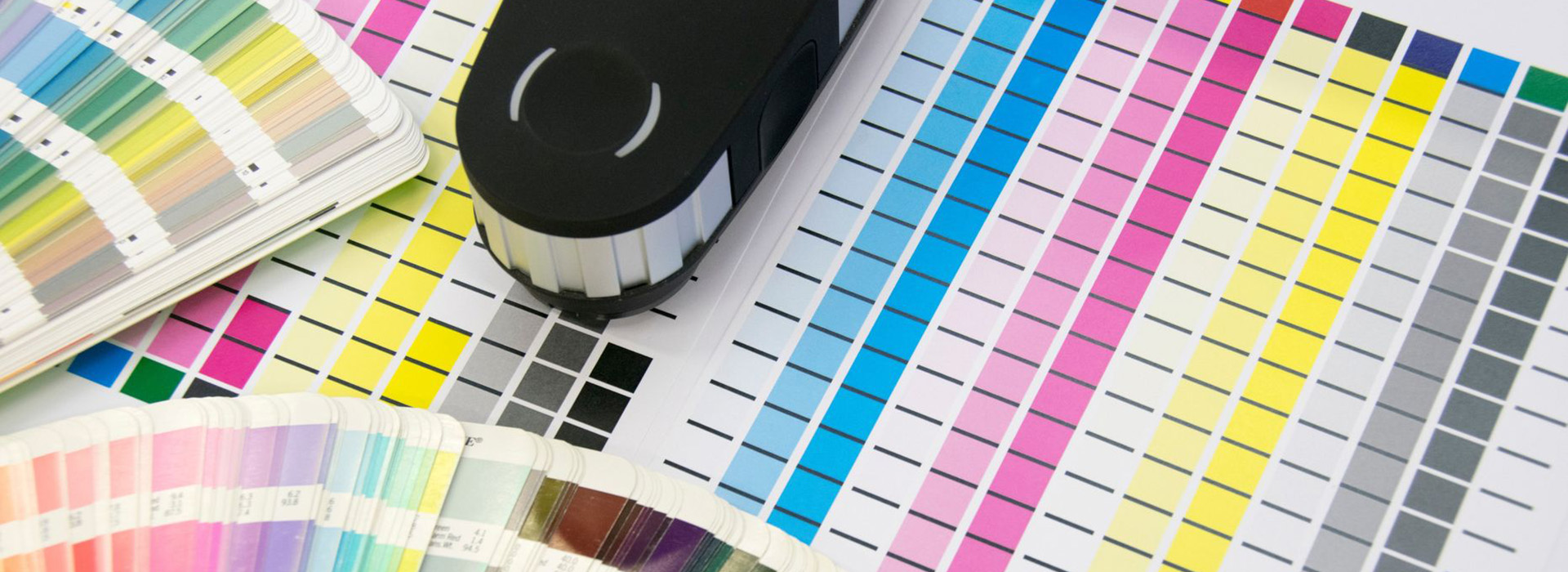



We deal with the topic of profiling every day. But what exactly is profiling in digital printing? And what are the benefits of profiling? We explain this to you in this blog article.
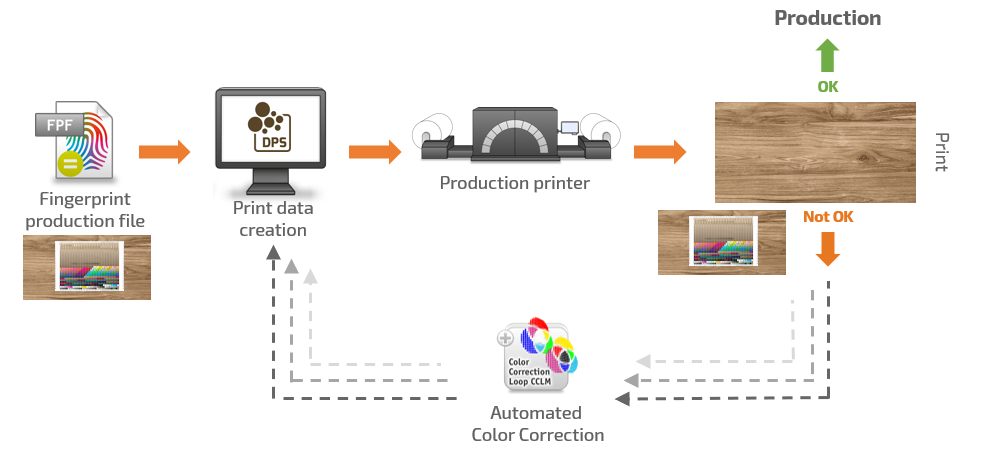
Décor reproduction is a sophisticated art, focused on bringing designs to life with spot-on accuracy. However, achieving consistent and accurate colors remains a major challenge in this demanding industry, where standards are sky-high. Unpredictable outcomes often occur due to factors such as environmental conditions, as well as variations in ink and substrate. While traditional methods like ICC profiling aim to address these challenges, we recognize the need for another solution in some cases.
In a world where some still cling to hours-long color correction in Photoshop, the burning question is: How to minimize deviations and achieve consistent color reproduction, especially if the goal is to reprint the same designs across several locations?
Continue reading Décor reproduction with automated color correction
To ensure a smooth transition from version 22 to version 23.10, you should back up and restore your system configuration. This way, your usual settings, profiles and printer definitions will be directly available in V23.10
In V23.10, you can transfer the system configuration to V23.10 as before using the backup and restore function (Menu Options > System Configuration). You can find out how to do this in this section.
Alternatively, you can transfer the system configuration using the Setup Assistant, which is available in V23.10. This contains an import function with which you can quickly and easily transfer the system configuration from version 22 to V23.10. You can find out how to use the import function in the Setup Assistant in this section.


You have a license with soft key and would like to revoke it, e.g. because you want to update your software, use the license on another computer or because you no longer have access to your computer or your ColorGATE software?
Continue reading Revoke a license – This is how it works!
If linearization or profiling charts are to be measured with the scan function of the TECHKON SpectroDens, it may happen under difficult conditions that the first or last field of a scan row is read in with a different number of sub measurements. In extreme cases this can lead to inaccuracies in the chart measurements. Uneven movement of the device over the target can also cause problems in accurately capturing the measurement fields. As a result, the quality of linearizations or profiles generated from such measurements may be compromised.
To solve this problem, TECHKON has introduced two new parameters in the device software:
Continue reading HOW TO MEASURE LINEARIZATION AND PROFILING DIAGRAMS WITH TECHKON SPECTRODENS
The exact reproduction of brand colors is a particular challenge, since in addition to the visual appearance, the most precise metrological adherence to the specifications is also essential for this. The requirements are often extremely complex, because it is not always possible to ensure that the desired color can even be output on the existing output system with the required accuracy.
Continue reading EXACT REPRODUCTION OF BRAND COLORS: THIS IS HOW YOU MASTER THIS CHALLENGE!
You have a support case, have already created a web ticket in the ColorGATE web support and have now been asked by our Professional Services team to create a support info file (SIF)? In this blog article, you will learn what a support info file actually is, how it helps to solve your support case quickly and easily, and how to create it in V23 or in a newer Version.
If you want to create a SIF using V22.10 or an older version, click here
Continue reading How to create a Support Info File as of Version 23
To ensure a smooth transition from version 22 to version 23, you should first back up your RIP configuration. This way, your usual settings, profiles and printer definitions will be directly available to you in the new version. Thanks to the integrated backup and restore function, this can be done conveniently.
Continue reading Backup & Restore: Ensure a smooth transition from V22 to V23
Version 23 of Productionserver, Proofgate and Filmgate is out now! If you have a valid Value Pack, you can update now, free of charge. In this blog entry, we answer the most important questions about upgrading to V23.