


In support we are more frequently confronted with customers reporting a several minute long program start. In this article I would like to explain the cause of it and how to speed it up.
Continue reading How to use the Job Backup Module and other hints to speed up your software startAll posts by Alexander Bartsch
We updated our step by step guides
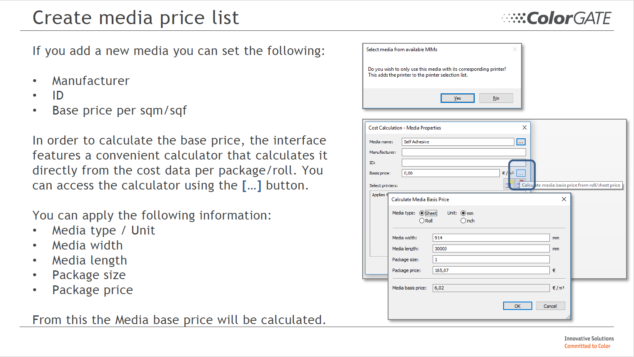
We would like to inform you that we have recently updated our step by step guides to several modules and functions in Productionserver.
Continue reading We updated our step by step guidesVideo: ColorGATE Website: User Account and Product Registration
What to do when the software does not start anymore
Due to power failures and similar external influences, it can happen that the PC simply goes out while Productionserver is writing data. The next time the software tries to start, it may not open anymore. The reason for this is usually that a job folder is defective. The following article briefly explains what you can do to get Productionserver 10 up and running again. If you have any questions, please contact our Websupport-System.
Continue reading What to do when the software does not start anymoreLogging in Productionserver
Normally logging is just something that just happens in the background when running a software, but when a problem comes up, it suddenly becomes more important. While working in Support we often check the log files of Productionserver. If for example a printing process is canceled or the software isn’t starting anymore, these text files can help to find the real cause. This information can then help our developers to improve the software. As a user you don’t have to analyze the log files yourself, so that this article just describes how the logging is activated.
Continue reading Logging in ProductionserverJDF Interface Module (JDFM)
Do you know our JDF Interface Module? No?! Then this article contains more information about it.
Continue reading JDF Interface Module (JDFM)The Linearization Assistant – Part 2 : Linearization & MIM Creation
Since you now know the differences between the densities and what measurement device is required to linearize our film we go into the software and create a linearization.
If you are using the software with a valid dongle you are able to get to the linearization assistent like shown in the next picture.
Continue reading The Linearization Assistant – Part 2 : Linearization & MIM CreationConfiguring output paths for specific hotfolders
For printer drivers that “print” to files in an output folder (e.g. Industrial InkJet, PDF FLAT HIGH-RES), it might help to setup a new path for each hotfolder.
Continue reading Configuring output paths for specific hotfoldersHP WallArt PDF files
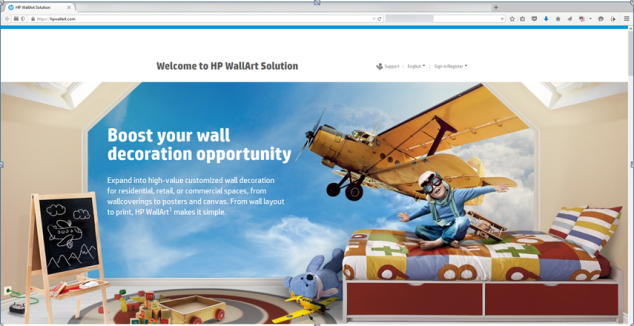
In the ColorGATE Productionserver9 we have integrated the support of HP WallArt PDF files since Version 9.02 6196 for use with the HP Latex printer series.
Continue reading HP WallArt PDF files
ColorGATE Print&Cut Modul (PCM) and CutServer

Do you know our Print & Cut Module (PCM) and the ColorGATE CutServer? No?! Then this Blog is for you.
Continue reading ColorGATE Print&Cut Modul (PCM) and CutServer